 Meridian 59: Shards
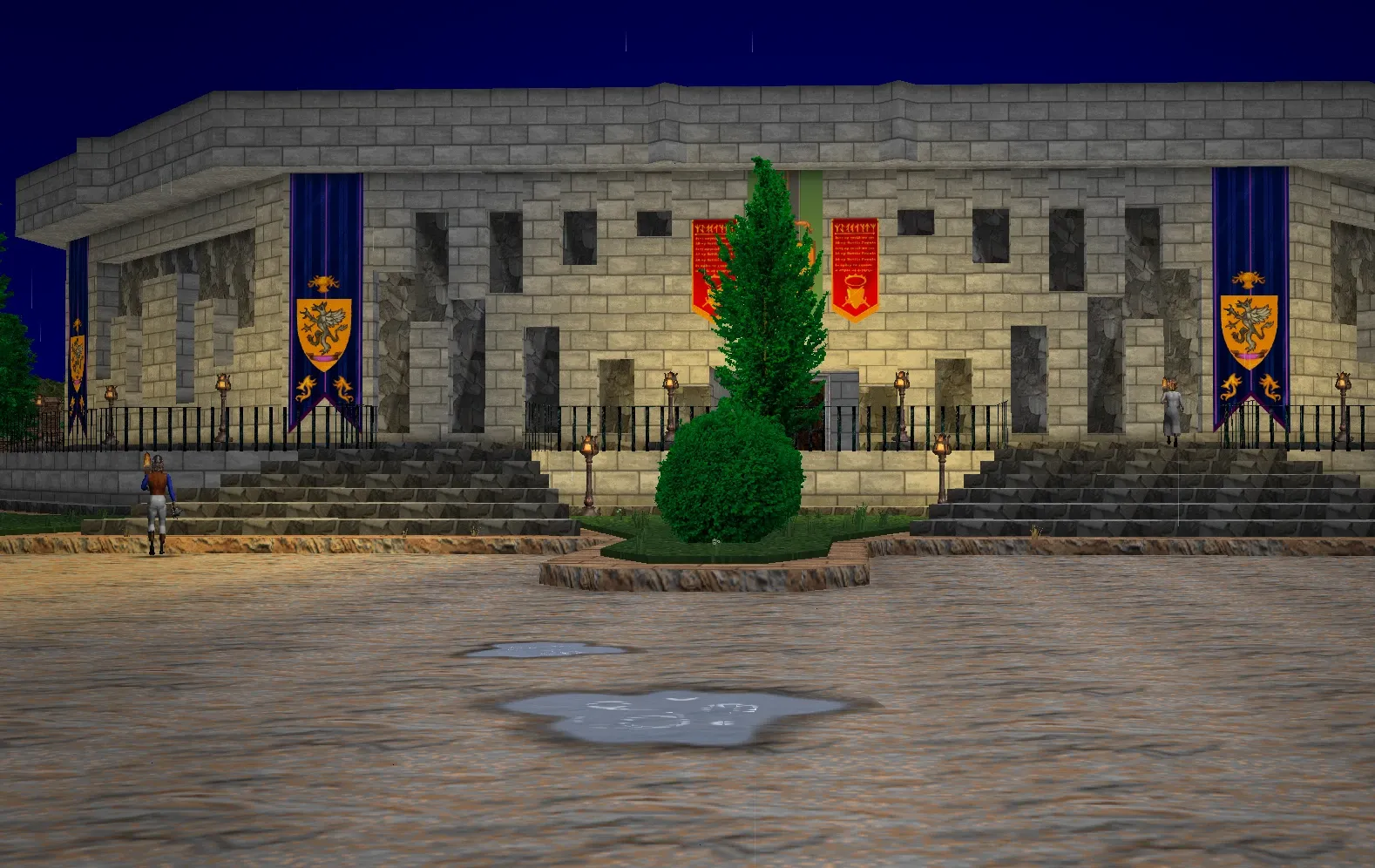
Enhanced Visuals is our client's lighting and effects layer. It's on by default, in the Configuration window's Options tab (on a phone, the ☰ menu's Configuration). It keeps the original game's art and light, and adds to them: flickering, glowing flames, light that stops at walls, shadows, a sun that moves, moods for the hour and the place, glowing windows and spell effects. Turn it off and you get the original's look.
A few of the improvements below have options of their own, so you can keep them with Enhanced Visuals off, or the other way round. Each section says which.
Light and flame#
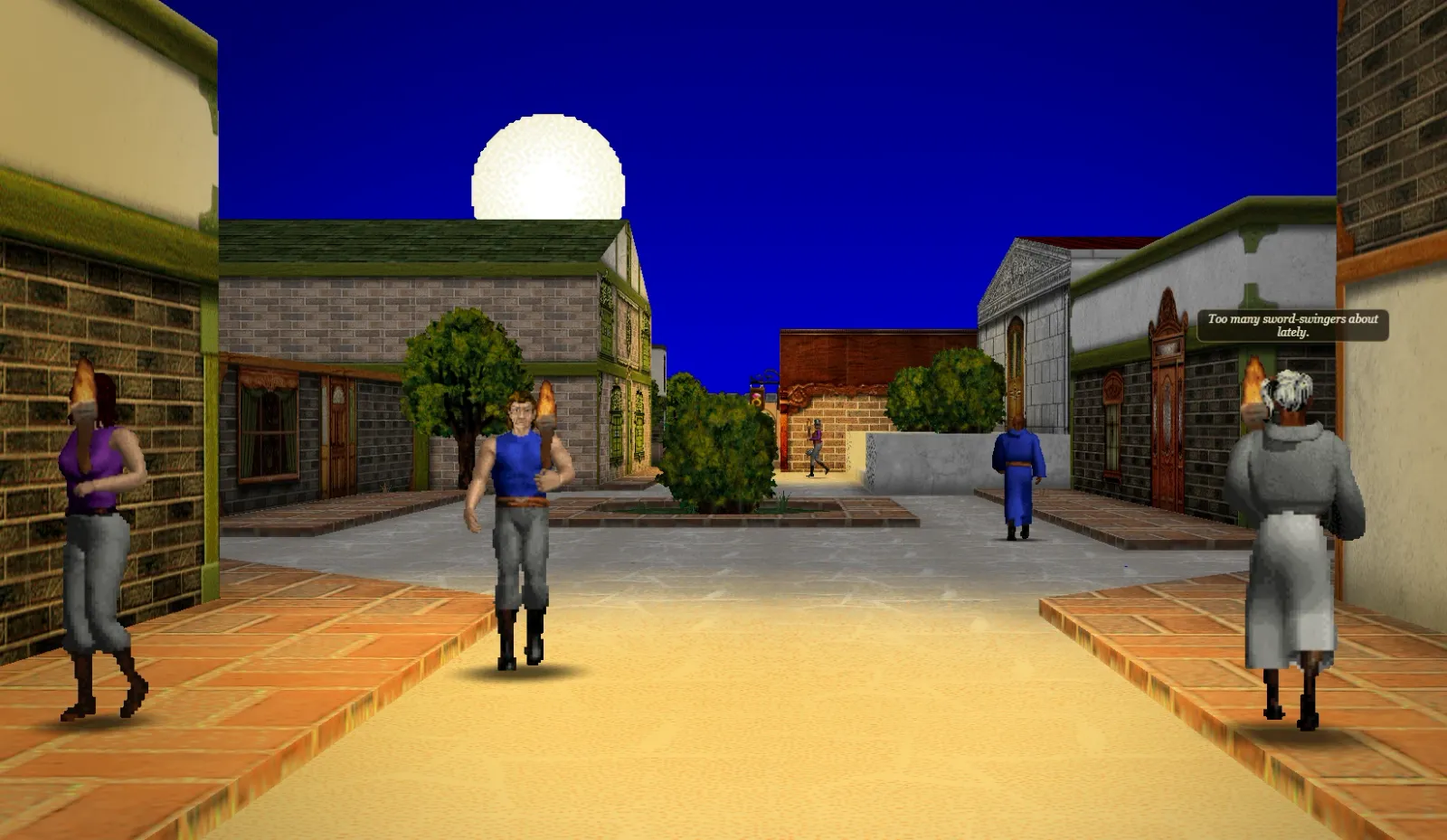
- Flames flicker. Torches, braziers and fires waver in brightness, each to its own rhythm, so a row of torches never pulses together. Only warm, fire-coloured lights flicker; magic lights and white lamps burn steady.
- Flames glow. Flames, lamps and other things that give light, and projectiles, get a soft glow around their brightest parts. Signs and players carrying a light don't.
- Light stops at walls. A light no longer shines through a wall onto the room behind it. A torch set into its own wall or niche still lights that wall. Some rooms were lit for the original engine, with their lights behind walls, so a few are darker this way. The Grand Museum of Raza's hall is one.
- Soft highlights. Where a strong light would burn a surface out to a flat, washed-out colour, its brightness rolls off gently instead, keeping its hue.
- Shaded corners. Walls darken a little where they meet the floor and ceiling, and so do the floors and ceilings in their corners. Rooms look less flat.
- Shadows under figures. Players, monsters, NPCs and items on the ground stand on a soft shadow. Hanging and flying things don't cast one, and neither do ghosts or the invisible.
- A vignette. The corners of the view are a little darker.
The sun, the moon and shadows#
- The sun moves smoothly. The server moves the sun once a game hour. The client follows the server's own formulas between those hours, so the light's direction and the sun in the sky move slowly instead of jumping. At night the moon lights the world.
- Sunlight. Under open sky, walls and floors facing the sun are lit by it, and so are figures standing in it. They're lit more from in front and less from behind.
- Sun shadows. Buildings, walls and roofs cast shadows on the ground outdoors, and they shift through the day as the sun crosses the sky. Railings and grates let the light through. A figure standing in the sun casts its shadow away from it, longer as the sun sinks.
Moods#
The light changes with the hour and the place. A room takes the mood of its kind:
| Where | How it looks |
|---|---|
| Outdoors | A pale sun and morning mist from 6:30, a warm sun and a little haze by day, an orange sun and violet shade from 18:30, a cool blue moon from 21:00 |
| Inside | The room's own light by day, warmer and dimmer from 20:30 to 5:30 |
| Inns | Firelight and wood: warm all day, warmer at night |
| Underground | Caves, dungeons, sewers and crypts: cold, grey and hard, at every hour |
| The Underworld | Its own mood, a little warmer than the caves |
Moods change gradually between these hours, never at once. Outdoors, distant streets fade into haze in the mood's colour, not into the original's black fog. Flames count for more at night, and their glow grows.
A room counts as outdoors when at least half its floor is under open sky. A roofed room's courtyards still get the day's sun.
Glowing windows#
Many town buildings' windows glow warm from outside after dark, softer at dusk. Indoors, the walls drawn with windows let daylight in by day, though few rooms inside have them. Only the walls the game draws with windows do this, so it shows mostly in towns.
Rain, snow and lightning#
The storm itself goes with the original's Show weather effects option, in the Preferences window, so it shows even with Enhanced Visuals off:
- Puddles spread over level open ground as the rain goes on, full in under a minute, with rings where the drops fall. They dry up over a couple of minutes once it stops. Rings fall on open lakes and rivers too.
- Lightning strikes in the distance every 5 to 18 seconds while it rains, in any room open to the sky. A bolt flashes across the far sky, the whole view flashes with it, and the sky goes dark again.
- Thunder follows each strike, with the Ambient Sounds option.
- The sky darkens while it rains.
Enhanced Visuals adds to the storm outdoors. Over a few seconds the sun all but goes, the haze thickens and turns grey, and colours flatten, with snow as well as rain. Lightning bolts glow, and each strike briefly lifts the light of the whole scene.
Snow lying on the ground is part of the Seasons option (below), and needs the weather option too.
Spells#
Spells show their school with Enhanced Visuals on. Hands glow as you cast, sparks rise and fall in each school's shape, projectiles leave trails, hits burst by their element and range rings show how far area spells reach. Magic has the colours and shapes.
Spells on a room also change how it looks, fading in and out with the spell:
| Spell | The room |
|---|---|
| Heat | Warmer, the air shimmering |
| Freezing | Cooler, snowflakes drifting |
| Winds | Pale streaks blowing through |
| Sandstorm | Tan |
| Silence | Greyer, every sound in the room muffled (but not the music) |
| Killing Fields | Red |
| Martyr's Battleground, Forces of Light | Gold |
Darkness and Illuminate fade the room's light in and out rather than snapping it, and so does the light's change with the hour. Darkness also greys the room a little, and Illuminate brightens it.
The arenas' fighters cast with the same glows and flashes as players do.
On a phone, spells use fewer sparks, to save power.
Options that go with it#
These are separate options in the Configuration window, all on by default:
- Enhanced Water: floors of water ripple, mirror the sky and catch the light. With Enhanced Visuals on, they also catch the sun and moon as they glint. Off, the water is the original's.
- Seasons: on the mainland, trees, hedges and grass change with the season: fresher in spring, gold and red in fall, pale in winter. Falling leaves follow them, and snow settles on the ground while it snows. Ko'catan, the desert and the lava and ice caves stay as they are.
- Ground Detail: tufts of grass, flowers, pebbles and stones on the ground outdoors and in caves.
Townsfolk, critters, birds, butterflies and fireflies are Ambient Life, with options of their own.
Turning it off#
Turn off Enhanced Visuals for the original game's look: the original light, fog to black, no moods, no shadows, no glow and no spell effects. Some things stay either way, as they're the original's own: invisible figures shimmering, the view wavering under Vertigo, and everything the weather option draws. Textures are drawn smooth with it on or off.
Sources
Maintained through Git.