 Meridian 59: Shards
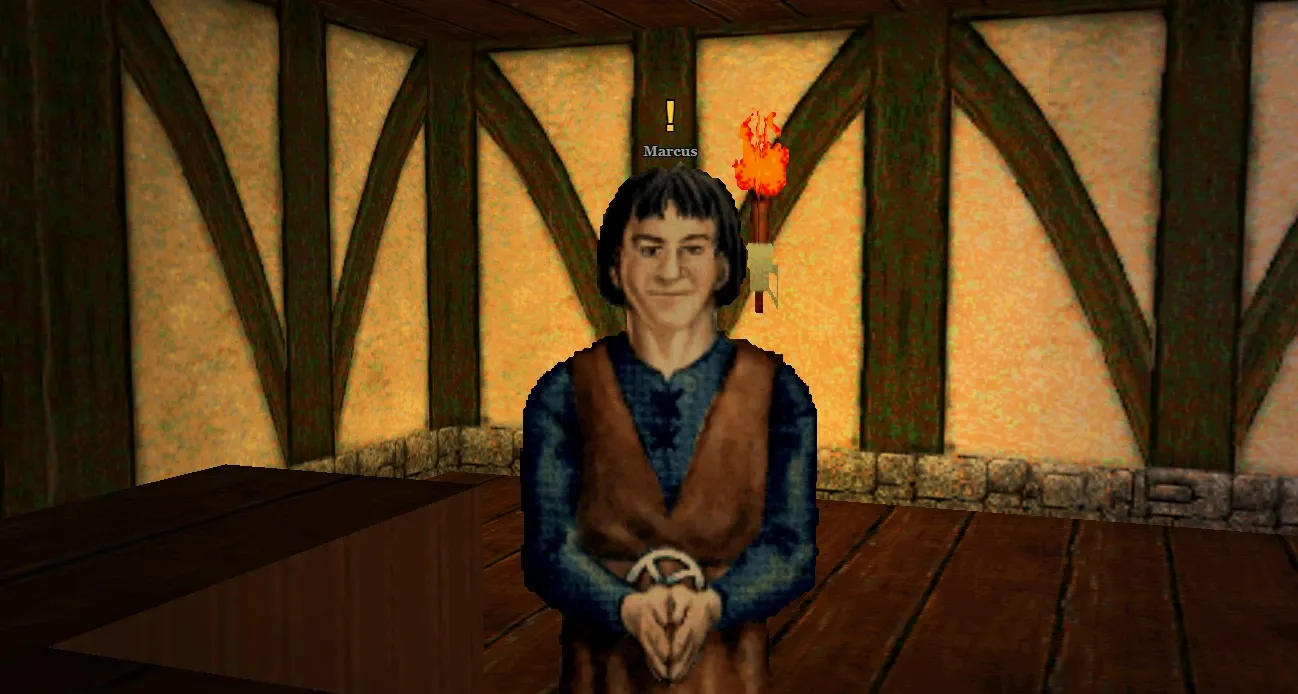
Quests are how most characters grow in Meridian 59: Shards. Every quest is a standing offer: the people who give them always have work for anyone who qualifies, and the game shows you who they are.
Where to start#
A new character starts in Raza. Marcus offers the first quest, Arms for the Road, and the quests that follow lead you through Raza, on to Marion and Cor Noth, and out into the world. The quest chains show the whole road, and the Tutorial guide walks it with you, or explains how to skip it.
Finding quests#
Look for marks over people's heads:
- "!": they have a quest for you.
- "?": you can hand in a step there.
- A grey "!": a quest you're nearly ready for. You need a little more health, no more than 10.
- A grey "?": you're on a step for them that isn't finished yet.
Every mark is gold. The quest window says what kind of quest it is: a Main quest carries you from level to level and always gives experience; a Story quest tells a tale; an Errand is a daily or other repeatable job.
The same marks show on the minimap in place of the person's dot, and there the monsters a kill step wants you to hunt have gold rings round their dots until you've killed enough.
A gold "!" over a travel portal isn't a quest: it's a portal you haven't touched yet.
Taking a quest#
Double-click someone with a mark, standing within four squares of them. Their quest window shows the story, the health it's meant for, the objectives and where they are, and the reward. Choose Accept to take it on.
Someone with several quests lists them first, each with its mark and a button. A quest you aren't ready for says how much health it needs.
When a step is done, go back and double-click them again, and choose Hand in (Complete for the last step). The window then shows what to do next, or the reward. Some steps finish by themselves as soon as you've done them, travelling somewhere or casting a spell, so they need no hand-in.
Things to collect are counted from your inventory, bags included, and taken when you hand in. A delivery gives you a parcel to carry: parcels weigh nothing, so they always fit.
Keeping track#
The quests you're on are on the Quests tab: in the Modern interface it's in the character window (I), and in the Classic interface it's among the tabs on the right. It has three tabs. Current lists the quests you're on, each with its next step, any time left and a Track box; Done lists what you've finished; Suggested lists quests for your health, and who gives them. Double-click a quest for its window: its story, progress and reward, with Track and Abandon. Suggested is a guide only: it doesn't know about faction, renown or guild requirements.
In the Modern interface the quest box on the right lists every quest you're on, tracked ones first, with what to do next.
You can track up to three quests. A tracked quest shows its way on the maps:
- inside the area a step sends you to, the minimap is washed gold;
- outside it, gold chevrons mark the exits to take, or an arrow at the map's edge points the way.
Once a step is counted, the way points back to whoever you hand it in to.
You can turn the marks off with Show Quest Markers, and the way with Show The Way, on the Options tab of the configuration window.
Rules worth knowing#
- Twenty at once. You can be on twenty quests at a time. Finish or abandon one to take another.
- Abandoning costs nothing but your progress: you can take the quest again from the start.
- Kills are shared with the players in your building group in the room, if they're on the same step. Turn on Join building groups in Preferences.
- Health. A quest's health is a suggestion at the top: you can take it once you have the least health it needs, and finish it whenever you like. A few quests are only offered below a certain health, such as Raza's repeatable hunts.
- Repeating. A repeatable quest comes back a set time after you last finished it, counted in real time. Many hunts and errands come back after two hours, once a Meridian day; a daily comes back after 24 hours. Its window says it "can be done again".
- Time limits. A timed quest shows the time left. If it runs out the quest is dropped, and you can take it again.
- Rewards can be experience, shillings, training points, items, one item from a list, or something else: a place in a faction, renown with your liege, prestige for your guild. Some steps pay along the way. Whatever you can't carry is left at your feet.
- Guild experience. The guild bonus is for kills, not quest rewards. See the Guilds guide.
Quests that find you#
Two kinds of quest have no one to give them:
- The Skull's Five Fires starts by itself when you die and wake in the Underworld (an arena bout doesn't count).
- Guild members take the daily Fallen Hall quests from the guild window. See the Guilds guide.
Finding a quest on the wiki#
Every quest has a wiki page: who gives it and where they stand, what it needs, its steps, its rewards, and the chain it's part of. Browse the quests by tier, faction or chain, sort them by health, or see every quest chain.
Sources
Maintained through Git.